Amazon Prime is one of the most popular membership services available today, offering fast shipping, streaming entertainment and exclusive deals. If you’re new to Amazon or just haven’t set up Prime yet, don’t worry our guide will walk you through the entire process in simple, easy-to-follow steps.
What You’ll Need Before You Start
Before diving in, gather these essentials:
- A valid email address (you’ll use this to create your Amazon account)
- A payment method (credit card, debit card, or bank account)
- An internet connection and a device (computer, smartphone, or tablet)
- About 10-15 minutes to complete the setup
That’s it! You don’t need anything else to get started.
Understanding Amazon Prime: What’s Included?
Amazon Prime membership gives you access to several benefits, here’s what a standard membership includes:
- Free two-day shipping – on eligible items (sometimes faster with Prime Now or same-day delivery in some areas)
- Prime Video – unlimited streaming of movies, TV shows and original content
- Prime Music – music streaming, additional charge for higher tier plans
- Prime Reading – access to thousands of e-books and magazines
- Exclusive deals – early access to sales and special discounts
- Amazon Photos – unlimited photo storage
- Whole Foods discounts – special prices at Whole Foods Market locations
Comparing Your Amazon Prime Plan Options
| Plan Type | Monthly Cost | Annual Cost | Best For | Key Features |
|---|---|---|---|---|
| Prime (Standard) | $14.99/month | $139/year | Most people who want all benefits | Full access to all Prime benefits listed above |
| Prime Student | $7.49/month | $69/year | College/university students | Same benefits as standard Prime, but at half price (requires student email verification) |
| Music | $9.99/month extra for unlimited | $119/year | People who only want full featured music streaming | Full music streaming features discounted for Prime members |
| Amazon Fresh | Varies by location | Part of full Prime membership | Grocery shoppers | Free same-day or next-day grocery delivery (available in select areas) |
Pro tip: If you’re unsure about committing to a full year, start with the monthly plan. You can always switch to annual later and save money.
Step-by-Step: How to Sign Up for Amazon Prime
Step 1: Go to Amazon’s Website
Open your web browser and visit amazon.com. If you’re on a phone or tablet you can also download the Amazon Shopping app from your device’s app store (Apple App Store for iPhone/iPad, Google Play for Android).
Step 2: Create or Sign In to Your Amazon Account
- If you already have an Amazon account, click “Sign In” in the top right corner and enter your email and password.
- If you don’t have an account yet, click “Sign In” and then look for “Create your Amazon account” or “Start here” link.
- Fill in your name, email address, and create a strong password (mix of uppercase, lowercase, numbers, and symbols).
- Click “Create your Amazon account” and verify your email by clicking the link Amazon sends you.
Step 3: Navigate to Amazon Prime
Once you’re signed in, look for the “Prime” link at the top of the page (usually near your account name). On mobile, this might be in a menu icon (three horizontal lines). Click it.
Step 4: Choose Your Plan
You’ll see different Prime membership options. Here’s what to do:
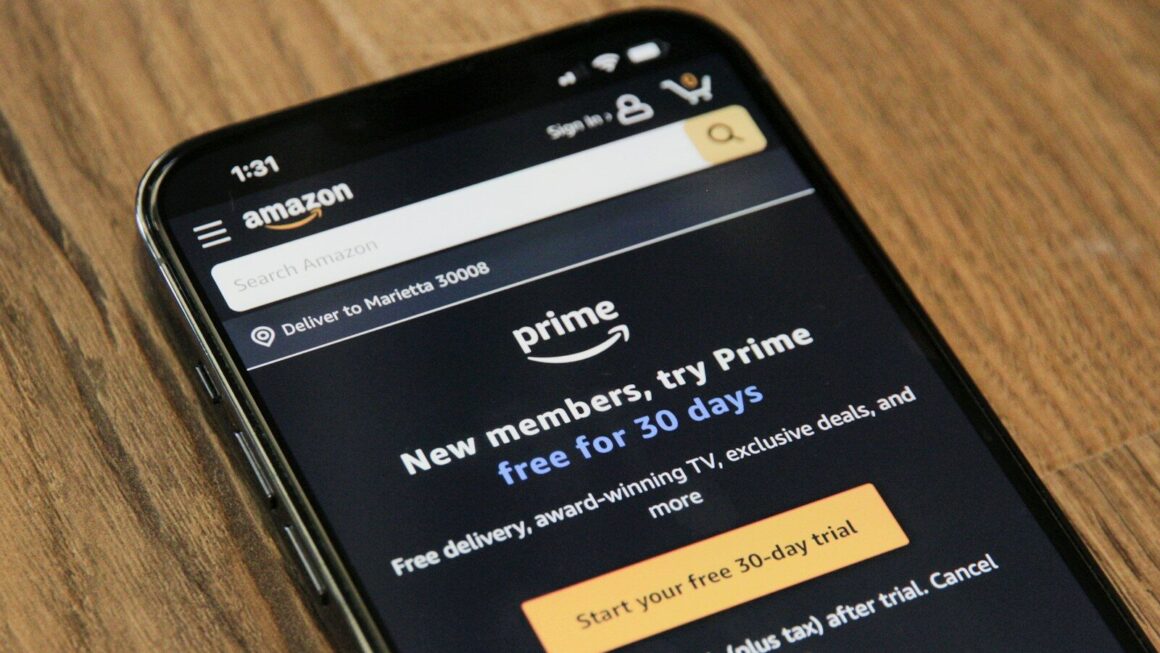
- For standard Prime: Click “Start your 30-day free trial” or “Join Prime” (depending on current promotions).
- For Prime Student: If you’re a college student, look for the “Prime Student” option and click it. You’ll need to verify your student status with a valid .edu email address.
- For Prime Video only: Select the “Prime Video” option if you only want streaming.
Important: Amazon frequently offers 30-day free trials for new members, so you can test it out before being charged. Always check if a free trial is available, it’s a great way to explore the service risk-free.
Step 5: Enter Your Payment Information
- Select your payment method (credit card, debit card, or bank account).
- Enter the required details (card number, expiration date, security code, or banking information).
- Make sure your billing address is correct.
- Review the terms and conditions, then click “Continue” or “Start membership”.
Step 6: Confirm Your Membership
You’ll see a confirmation page showing:
- Your membership type
- Your billing date
- Your renewal date
- How to manage your membership
Take a screenshot or write down this information so you have it for your records.
Step 7: Start Using Prime
That’s it! You’re now a Prime member. You can:
- Start shopping with free two-day shipping
- Open Prime Video and start watching
- Browse exclusive Prime deals
- Access other member benefits
Tips for Getting the Most Out of Your Membership
Make the Most of Free Shipping
- Bundle your orders: Wait to order multiple items together to maximize free two-day shipping.
- Check delivery dates: At checkout, you’ll see estimated delivery dates. Plan accordingly if you need something urgently.
- Use Prime Now: In many areas, you can get same-day or next-day delivery for an additional fee—great for emergencies.
Explore Prime Video
- Browse recommendations: Prime Video suggests shows and movies based on what you watch.
- Create profiles: If you share your account, set up individual profiles so recommendations are personalized.
- Check for free content: Some movies and shows are included free; others require a rental or purchase fee.
Leverage Exclusive Deals
- Prime Day: Amazon holds major sales events (typically in July and during the holiday season) with deals exclusive to Prime members.
- Lightning Deals: Check the “Deals” section daily for time-limited offers.
- Subscribe & Save: Get discounts on recurring purchases like household items or groceries.
Don’t Forget About Prime Reading
- Free books and magazines: You get access to rotating selections of e-books and magazines at no extra cost.
- Kindle required: To read e-books, you’ll need a Kindle device or the free Kindle reading app (available on phones, tablets, and computers).
Managing Your Membership: Important Things to Know
How to Cancel or Pause Your Membership
If Prime isn’t for you, cancellation is easy:
- Go to amazon.com and sign in.
- Click on “Account” or your name in the top right.
- Select “Prime membership” or “Manage Prime membership”.
- Click “End membership” and follow the prompts.
You won’t be charged again, and you’ll keep your benefits through the end of your billing period.
If You Used a Free Trial
- Your free trial lasts 30 days (unless Amazon specifies otherwise).
- You won’t be charged until the trial ends.
- Set a calendar reminder before your trial ends if you want to cancel, otherwise, you’ll be charged automatically.
Update Your Payment Method
If your card expires or you want to change how you pay:
- Go to “Account” > “Prime membership”.
- Click “Update payment method” or “Edit payment information”.
- Enter your new card details and save.
Alternatives to Amazon Prime
While Prime is popular, here are some alternatives worth considering:
| Service | Cost | Main Benefits | Best For |
|---|---|---|---|
| Walmart+ | $98/year or $12.98/month | Free shipping, fuel discounts, grocery delivery | Budget-conscious shoppers, Walmart customers |
| Target Circle | Free (basic) or $9.99/month (premium) | Free shipping, exclusive deals, discounts | Target shoppers |
| Costco | $60-$130/year | Bulk shopping, lower prices on items | Large families, bulk buyers |
| eBay Plus | $9.99/month | Free shipping on eligible items, exclusive deals | eBay shoppers |
The bottom line: Amazon Prime offers the most comprehensive package of benefits, especially if you value streaming entertainment alongside shopping. But if you primarily shop at one specific retailer, their membership might be a better fit.
Common Questions About Amazon Prime
Can I share my Prime membership with family?
Yes! Amazon Household lets you link your account with up to 3 other adults and 4 children. You can share Prime benefits, but each person needs their own login. Go to “Account” > “Amazon Household” to set this up.
Will Prime Video work on my smart TV?
Absolutely. Prime Video is available on most smart TVs, streaming devices (Roku, Fire Stick, Apple TV), gaming consoles, and phones. Check Amazon’s website for a full list of compatible devices.
What if I don’t use Prime much, is it worth it?
That depends on your habits. If you order from Amazon at least once a month, Prime usually pays for itself through shipping savings alone. Add in Prime Video, and it becomes an even better value. But if you rarely shop online, it might not be necessary.
Is my information safe when I sign up?
Yes. Amazon uses industry-standard encryption to protect your personal and payment information. Your data is secure when you enter it on Amazon’s website.